
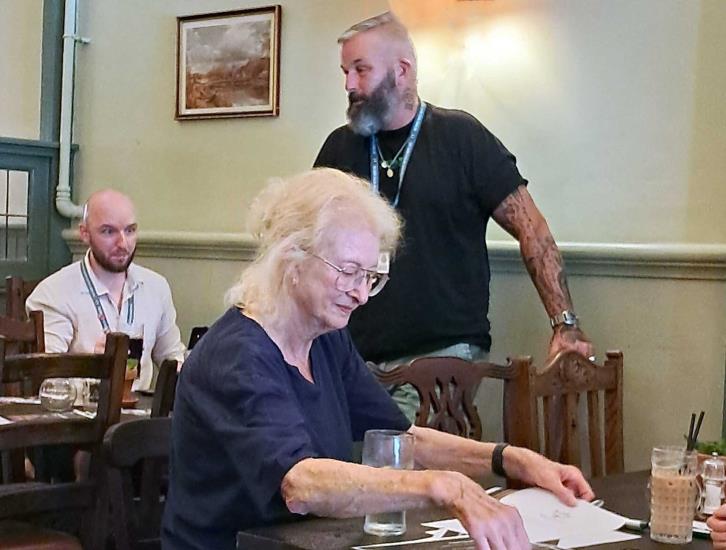
Cyber security specialists Simon Goodwin and Simon Partington gave residents essential advice on how to stay safe online at a feedback meeting in Wroughton.
The pair are from CyberBeat, a police-led education programme run by the South West Regional Organised Crime Unit. Its specialists work with schools, communities and organisations across the South West to help people stay safe online and prevent cybercrime before it happens.
The told the meeting cyber-crime is now one of the most common types of crime in the UK. Criminals are becoming increasingly sophisticated and often pretend to be organisations we all know and trust, including banks, the police, housing associations, delivery companies and even the NHS.
They said it doesn’t need a computer expert to protect people online, a few simple habits can make a big difference.
Create stronger passwords
Your passwords are one of the first lines of defence against online criminals.
Choose a different password for every account, especially for important services such as your email and online banking. Experts recommend using a passphrase made up of three random words, as these are much harder to guess than short passwords or words linked to your personal life.
Avoid using birthdays, names of family members or pets, or other information that someone might find on social media.
If you struggle to remember lots of passwords, don't worry. The password managers built into most smartphones and internet browsers can create and safely store strong passwords for you.
Your email account is particularly important because it often contains personal information and can be used to reset passwords for many of your other accounts. Keeping it secure should be a top priority.
Learn to spot a scam
Many scams start with an unexpected email, text message or phone call.
The message might claim there's a problem with your bank account, a parcel waiting for delivery, an unpaid parking fine or an urgent bill that needs paying straight away.
Scammers want you to panic and act quickly without stopping to think.
Be suspicious if a message:
- Asks you to act urgently
- Tells you to click a link or scan a QR code
- Asks for passwords, personal details or bank information
- Threatens extra charges or says an account will be closed
- Promises a bargain or investment that seems too good to be true.
If you’re ever unsure, don't click the link. Instead, contact the organisation directly using a telephone number or website you already know is genuine.
Keep your money safe
One of the most convincing scams involves criminals pretending to be from your bank or the police.
They may tell you that your money is at risk and ask you to move it into a "safe account".
Remember this simple rule: your bank or the police will never ask you to transfer money to keep it safe.
Another common trick is sending fake invoices or emails claiming a company has changed its bank details. Before making any payment, always contact the company using trusted contact details to check the request is genuine.
Take your time
Scammers rely on creating a sense of urgency.
If something doesn’t feel right, stop. Take a few minutes to think about it, talk to a family member or friend, or contact the organisation directly before taking any action.
It’s always better to double-check than to rush into a decision.
If you think you’ve been scammed
If you have shared your bank details or transferred money, contact your bank immediately. The sooner you report it, the better the chance of stopping the payment or recovering your money.
You can also help protect other people by reporting suspicious messages:
Forward suspicious text messages to 7726 (which spells SPAM) free of charge.
Forward suspicious emails to report@phishing.gov.uk.
Report fraud or cybercrime to Action Fraud, the UK's national fraud and cybercrime reporting service, online at www.actionfraud.police.uk or by calling 0300 123 2040.